Every figure your hotel runs on, in one place.
RevView reads your booking system and shows revenue, occupancy, rates, channels and the nights ahead: against last year, against your budget, and net of commission.
What you see when you log in.
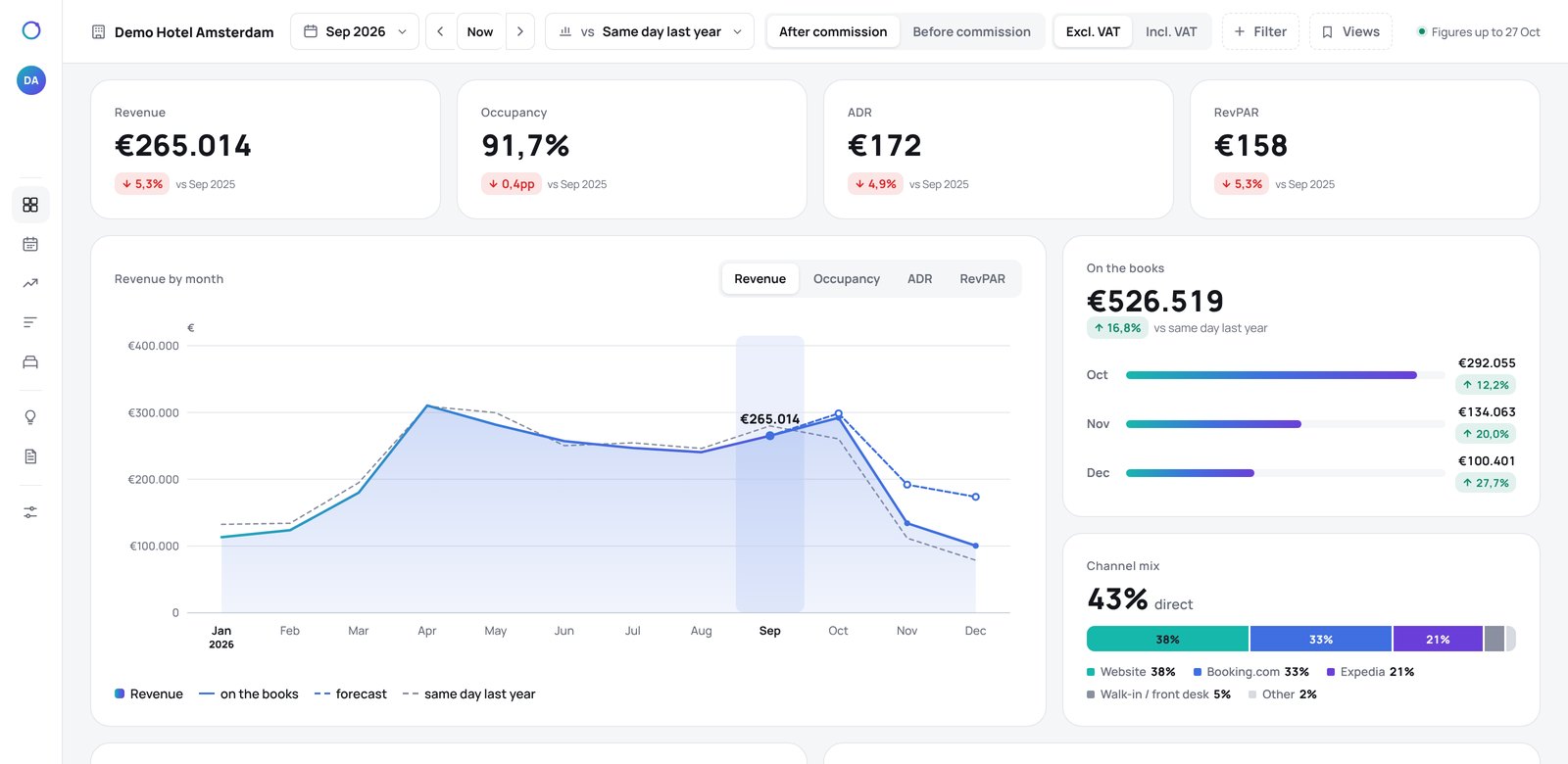
This month, last year and your budget, side by side.
Revenue, occupancy, ADR and RevPAR for the period you choose, with the change against the same time last year and against your budget. Closed months use the final figures; the current month runs live.
- Gross, excl. VAT or net with one switch
- Every month of the year in one table
- Click a month to see it day by day
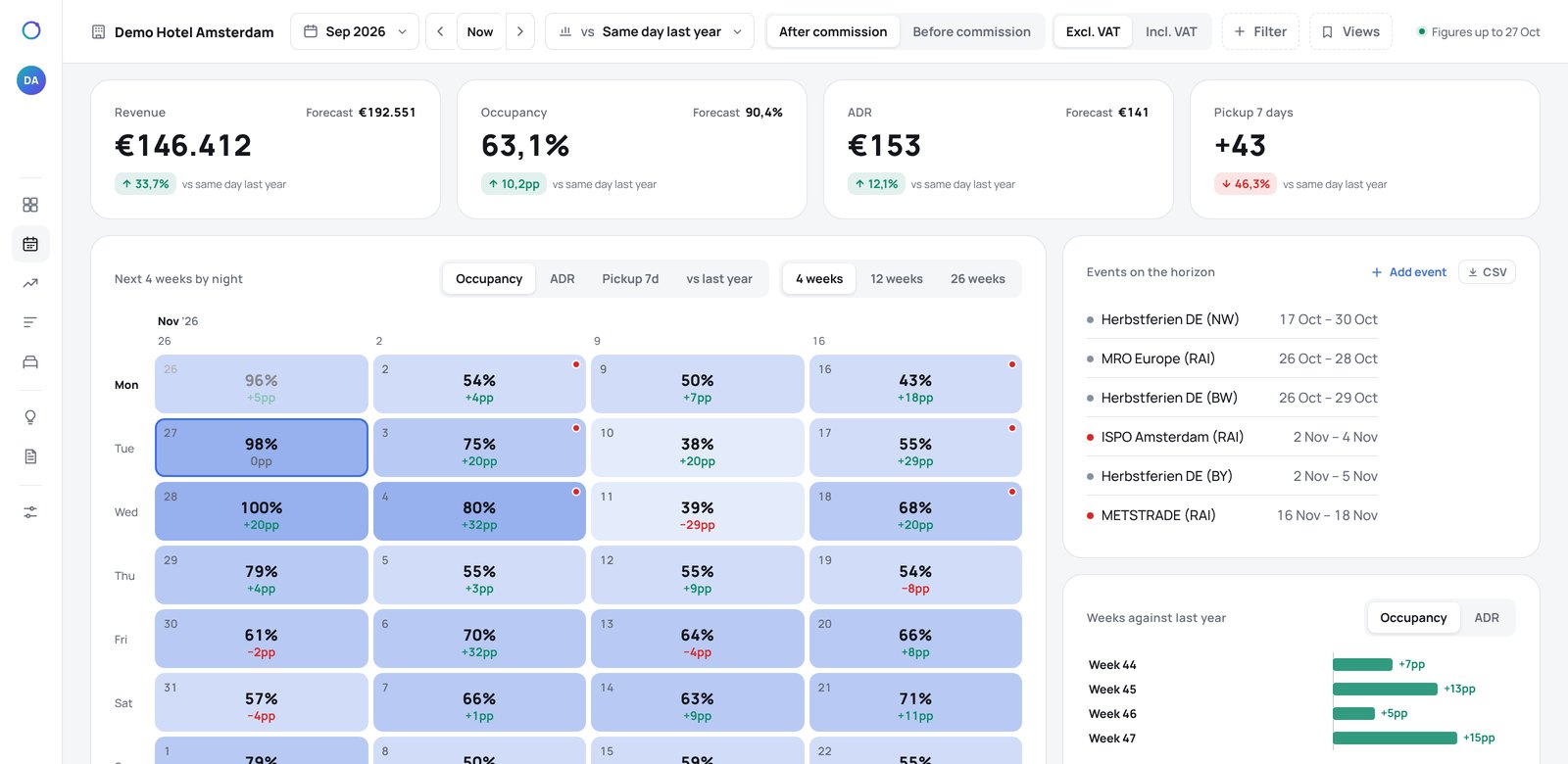
Every night ahead, and what is happening in town.
Each night of the coming months with its occupancy on the books, so the weak nights stand out at a glance. Events in your city are marked on the dates they fall, with how much they are likely to move demand.
- Click a night for its bookings, rate and pickup
- Add the events only your hotel knows about
- Out-of-order rooms counted, so occupancy stays honest
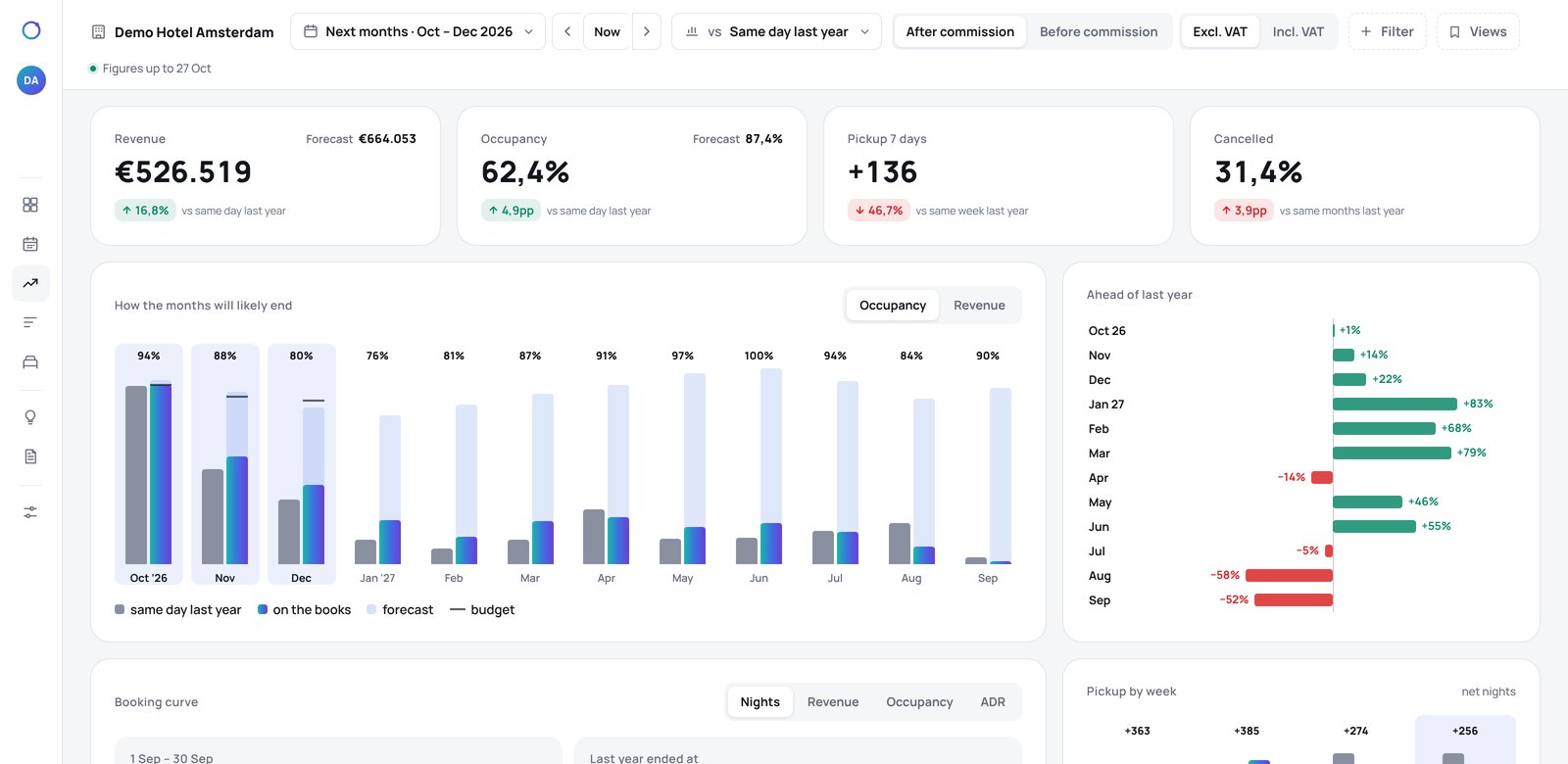
Are you filling faster or slower than last year?
Pace compares what is on the books today with what was on the books at the same moment last year, month by month. The forecast shows where each month is likely to end, so you can act while there is still time.
- Gross or net of commission
- Per month, up to a year ahead
- Pickup of the last seven days
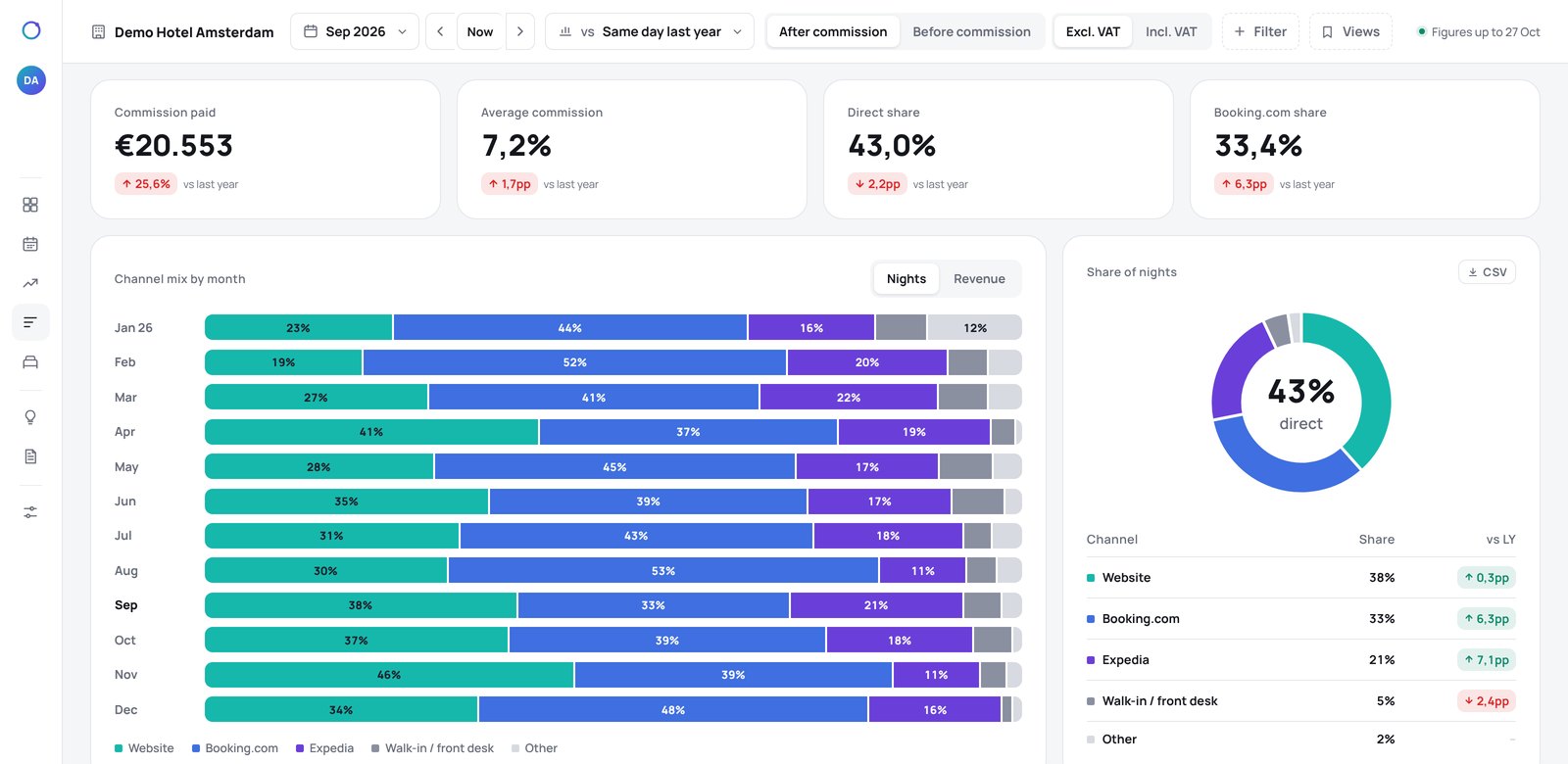
What every channel brings, and what it costs.
Revenue per channel with the commission it takes, so you see what each one really leaves you. Watch your direct share move month by month, and see where your bookings are coming from in the months ahead.
- Commission per channel, from the month it changed
- Direct share against last year
- Bookings per channel for the months ahead
Every point that moves from Booking.com to direct saves about €275 a month here.
Which rooms sell, and who stays in them.
Occupancy and rate per room type, market segments, length of stay, how far ahead guests book and where they come from. The questions you used to answer with a spreadsheet.
- Room types grouped by the role they play
- Segments grouped the way you report them
- Guest country without any personal data
Sample hotel.
The dates that need you, with the reason.
RevView lists the nights and months that need action, each with one sentence on why and the figure behind it. It checks the six reasons a night stays empty, so a minimum stay is not mistaken for a price problem.
The six reasons ↓Tue 11 Nov · 52% on the books, 14 points behind last year. A two-night minimum stay blocks one-night guests: lift it before you lower the rate.
14–16 Nov · Congress in town. Weekend rates are 8% under the market; hold until Friday’s pickup.
December · 9 points ahead of last year at the same moment. No action needed.
Sample advice.
Six reasons a night stays empty.
Price tools work on one of them. RevView looks at all six, so you change what is actually wrong.
Your budget, your commissions, your way of reporting.
Enter your budget per month, the commission of each channel and the role of every room type. RevView fills in what it can from your booking system and shows you what is still missing, so the figures stay right.
- Amounts incl. VAT, excl. VAT or net of commission
- Budget entered the way your accountant has it
- Team logins with their own hotels and rights